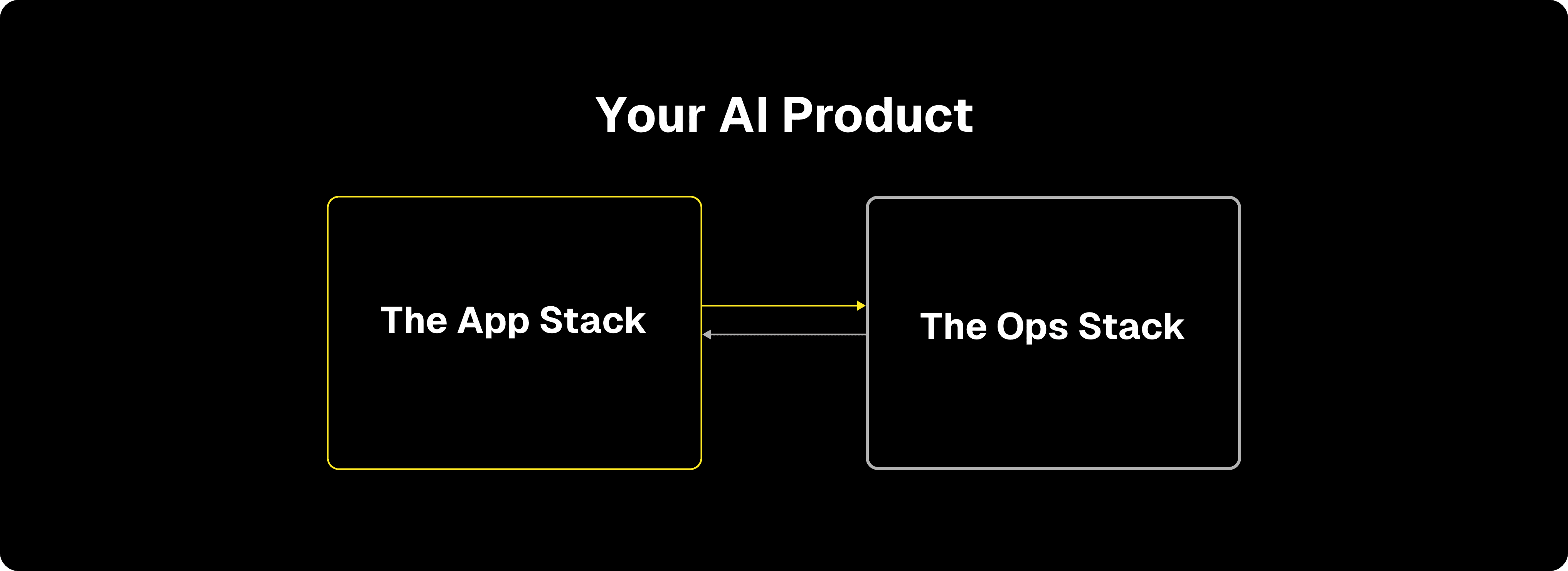
If you've invested any time instrumenting a production agent, you probably have a bunch of these pieces working already: you're logging production data, running evals, building test datasets, experimenting with changes, and maybe doing regular human reviews to get eyes on data.
The biggest complaint we hear from teams about running a healthy Ops Stack is that it can take a lot of manual work. Combing through logs, curating datasets, orchestrating reviews and eval updates across a team… It takes energy to build high-quality AI products, and everyone wants it to be easier.
That's why we built Automations to augment Freeplay's existing Observability features.
Automations let you wire different pieces of your Ops Stack together so they can run on their own, freeing your team to focus on higher-value work. You still decide what matters and what to do about it. Automations just handle the plumbing.
Here's a quick demo video, and more details are below.
How Automations Work
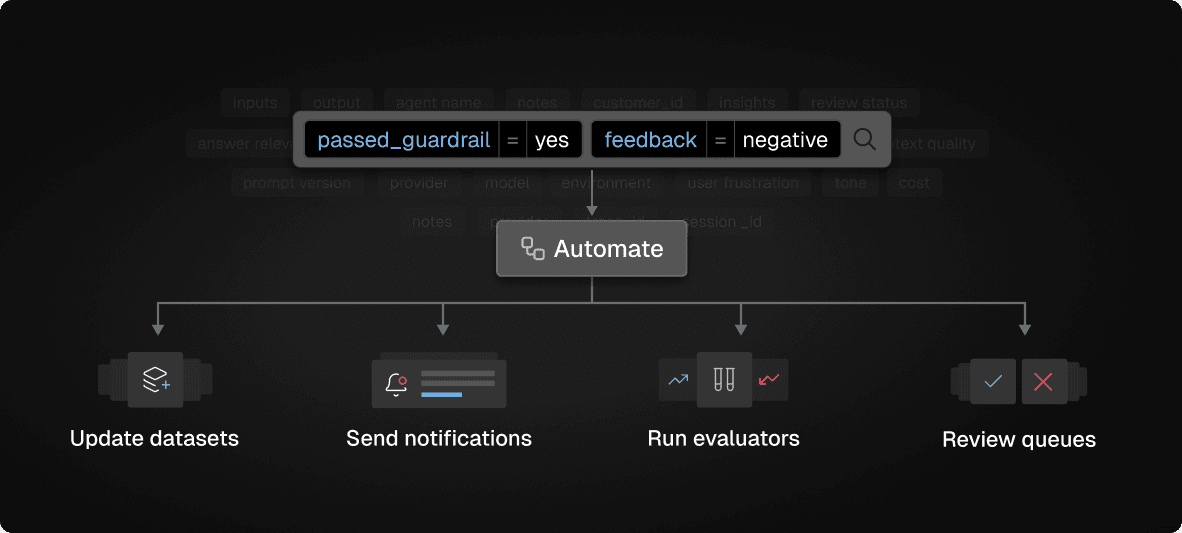
The first step to creating an Automation is to define a custom filter to capture the log data you care about.
Freeplay offers powerful log filtering options that let you build complex queries based on eval scores, prompt versions, models, metadata, cost, latency, and more. Imagine filters like "traces for X sub-agent where guardrails pass but eval scores are negative."
Then, pick an action to take on matching data. Today these options include:
Run evaluators
Add to dataset
Add to review queue
Send Slack notification
Finally you set a schedule and sampling rate. Automations can run hourly, daily, or weekly. You can cap the sample size so you don't get overwhelmed.
As new log data flows in from your system, automations process it, and the right logs end up in the right place.
Details on how to set up custom filters and create Automations are in our docs here.
Ways To Use Automations
A few examples we've seen teams set up so far since we rolled this out:
Slack alerts for negative customer feedback. If you're capturing user feedback with your logs, add a filter like
feedback = negativeand send an hourly notification to the right channel. Your team can find out about issues and respond as they arise.Feed your review queues automatically. Instead of manually searching for logs worth reviewing and building queues by hand, you can automatically route the right data to the right people. Filter for completions where an eval score fails, then add them to a review queue for a specific group of people to review. For managers who build queues by hand each week, this is already saving a ton of time.
Run evals conditionally. Maybe you have an expensive evaluator that you don't want to run on every completion, or that's only relevant in specific circumstances. Create a filter to capture that logic (e.g. whenever a sub-agent run, or when you log interactions from a specific customer segment), and then trigger your deeper eval to run only on those records.
Collecting fresh samples for test datasets. Test datasets can be hard to bootstrap, and they can also get stale easily. You can set up an automation to filter for completions matching a particular scenario that you know you want to test for, then sample 5-10 new examples per week into a dataset. That way your test data can grow and stay fresh without manual curation (though we'd certainly recommend doing some curation once it grows to a reasonable initial size!).
Track issues you're investigating. If you're watching for a particular failure mode, create a filter for completions matching that pattern and route them to a dedicated review queue. No more manual searches every few days.
The Compound Effect: A Better Data Flywheel
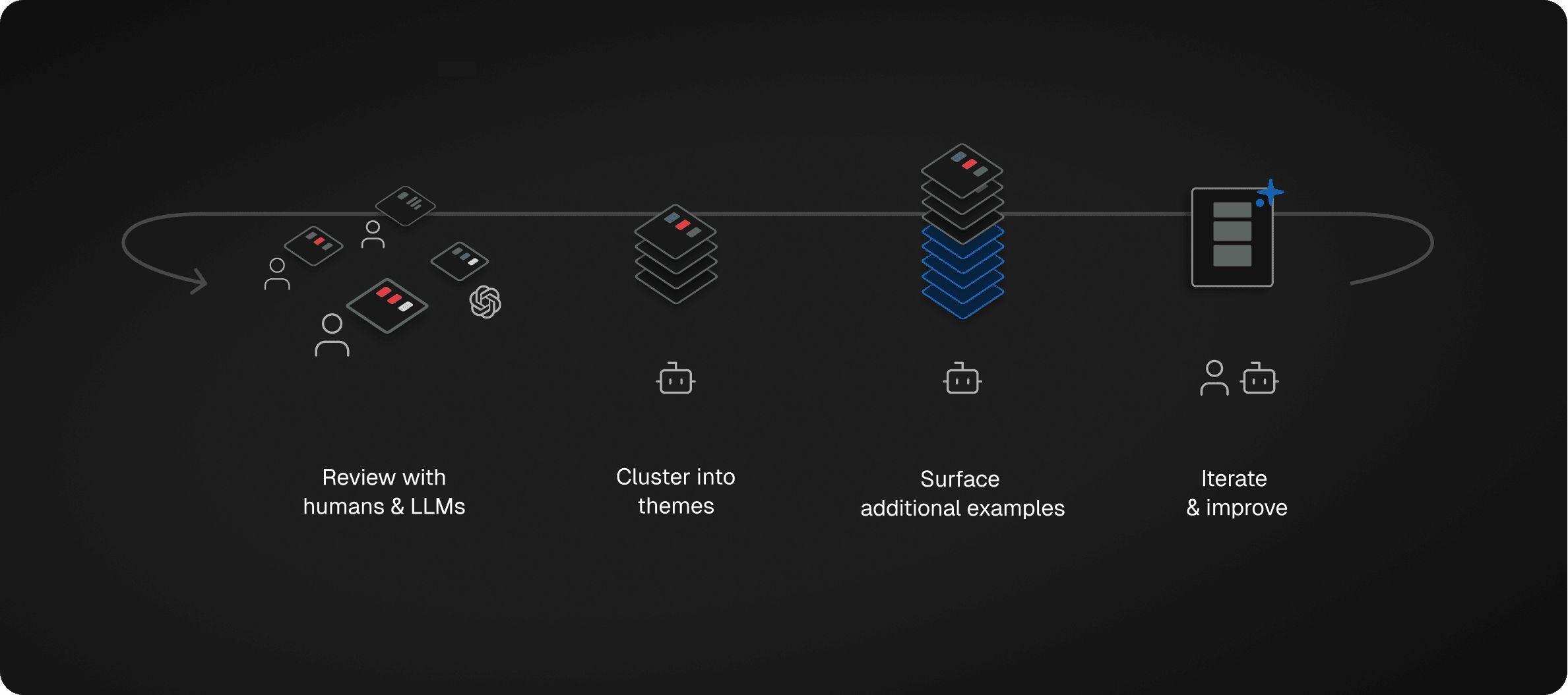
Automations help speed up the process to get your data flywheel working:
Production traces surface real failure modes
Failures automatically become test cases
Human reviewers refine quality definitions
Insights become new eval criteria
Each cycle produces better data and better evals
Teams running this flywheel catch problems faster and learn faster. Every deployment generates insight that feeds the next version. Quality stops being a bar to clear and becomes a trajectory.
Each Automations example above is simple by itself. The value really starts to show up when you combine a few of them.
Get Started
Automations are live in Freeplay, you can find them in the Observability page. If you're not a customer yet, sign up now and let us know what you set up.
First Published
Jan 20, 2026
Authors

Jeremy Silva
Categories
Product